

In the world of AI-powered content creation, image to video workflows have become one of the fastest ways to produce cinematic visuals. Tools like Seedance allow creators to transform a single image into a moving sequence within seconds. One of the most popular effects is the zoom-in shot—a classic cinematic technique that draws the viewer’s attention into a subject.
However, many creators quickly notice a problem: a simple zoom-in from a single image often looks unnatural, distorted, or “AI-generated.” This is where the concept of first and last frame video control becomes powerful. By defining both the starting frame and the ending frame, you can guide the AI to produce a far more stable, realistic, and cinematic zoom.
1. The Problem with Single-Image Zoom in Image to Video
1.1 Detail Hallucination
When you use only one image, the AI must invent new details as it zooms in. This often causes texture warping, shifting shapes, and inconsistent edges. Objects that look correct at the beginning may gradually become unrealistic.
1.2 Perspective Drift
Without a defined end frame, the AI guesses how perspective should change. This can lead to stretching, compression, or unintended camera angle shifts.
1.3 Subject Instability
The main subject may subtly morph or “breathe,” especially in longer zoom sequences. This breaks immersion and makes the video feel artificial.
1.4 Texture Breakdown
As the zoom progresses, the AI tries to upscale details beyond the original resolution. This often introduces blur, noise, or unrealistic textures.
2. Why First and Last Frame Video Improves Zoom Effects
2.1 Controlled Transition
By providing both the first and last frames, the AI understands the exact starting and ending points. This creates a clear motion path instead of random zoom behavior.
2.2 Stable Geometry
The final frame acts as a structural reference. Objects remain consistent, and proportions stay accurate throughout the zoom.
2.3 Reduced Hallucination
Instead of inventing everything, the AI references the last frame for detail. This significantly reduces visual artifacts.
2.4 Cinematic Consistency
The movement feels like a real camera push-in rather than a synthetic zoom, improving overall realism.
3. Interpolation vs Imagination in Image to Video
3.1 Single Image = Imagination
With only one image, the AI must guess what the zoomed-in version should look like.
3.2 First and Last Frames = Interpolation
With two frames, the AI connects known points. This results in smoother and more predictable motion.
4 Practical Example of First and Last Frame Video
4.1 Single Image Zoom Scenario
Using one image of a subject and applying a zoom often results in distortion, unstable textures, and inconsistent details.
(first video below)
4.2 First and Last Frame Workflow
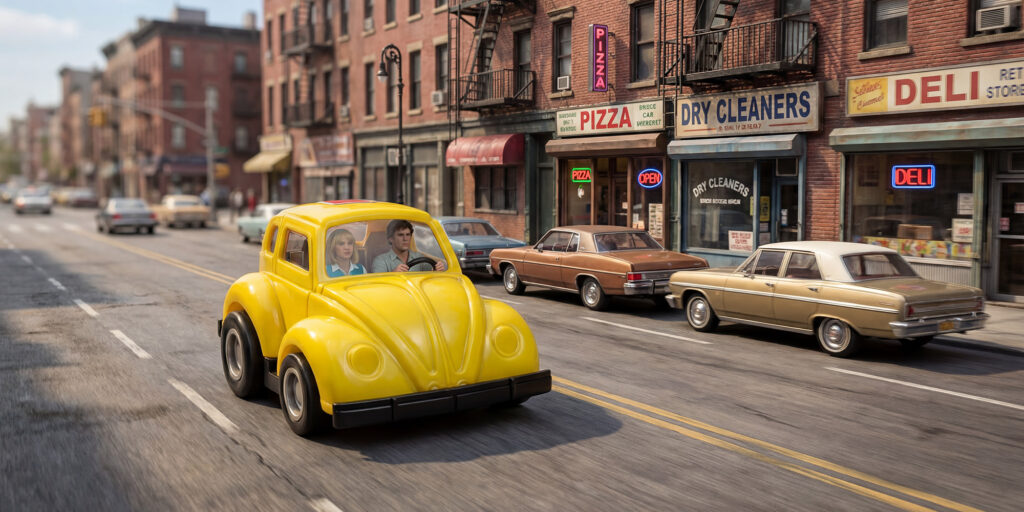
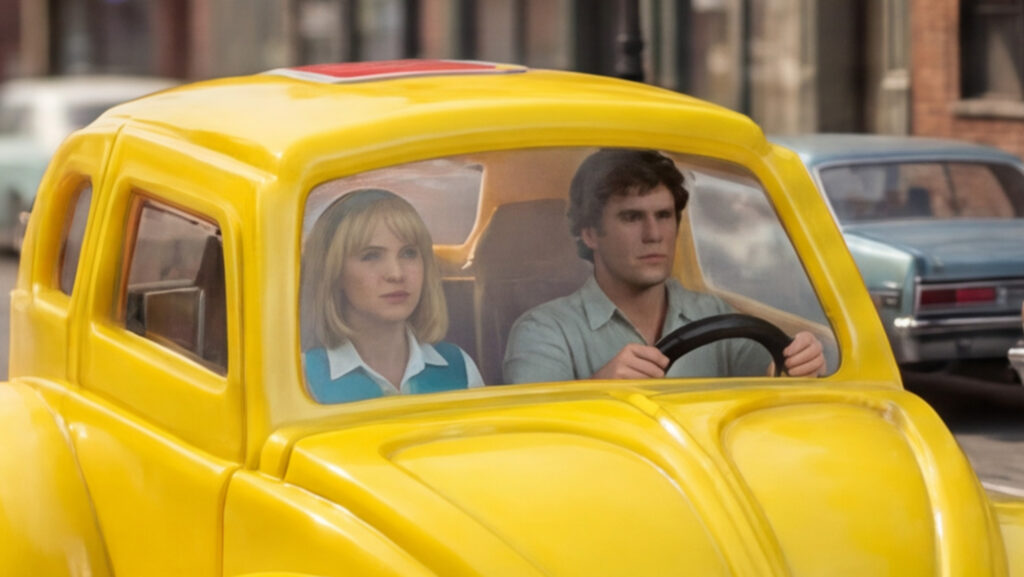
Providing a wide first frame and a close-up last frame allows the AI to create a smooth, controlled zoom with stable structure and realistic motion.
(second video below)
5 How to Create First and Last Frames for Image to Video
5.1 Step 1: Prepare the First Frame
Use a wide composition that includes the full subject and environment.
5.2 Step 2: Create the Last Frame
Generate or crop a close-up version of the subject while maintaining the same angle and lighting.
5.3 Step 3: Input Both Frames
Upload both frames into your AI tool and define the duration of the video.
5.4 Step 4: Add Motion Prompt
Use prompts like “smooth cinematic forward movement” or “consistent perspective” to guide the AI.
6. Key Tips for Better First and Last Frame Video Results
6.1 Match Composition
Ensure both frames align in subject position, angle, and framing.
6.2 Avoid Extreme Differences
Large jumps between frames can cause instability. Keep transitions gradual.
6.3 Maintain Lighting Consistency
Lighting mismatches can lead to flickering or unnatural transitions.
6.4 Use High-Quality Images
Better input images reduce the need for AI correction and improve output quality.
6.5 Control Duration
Shorter durations (3–5 seconds) usually produce more stable results.
7. Why First and Last Frame Video Matters for Creators
In short-form content like TikTok and YouTube Shorts, visual quality directly impacts engagement. Using image to video with first and last frames allows creators to produce professional-looking results that stand out from typical AI-generated clips.
8. Technical Insight: How AI Uses First and Last Frames
8.1 Temporal Anchoring
The first and last frames act as anchors that stabilize motion over time.
8.2 Spatial Constraint
They define the structure of the scene, preventing distortion and drift.
8.3 Motion Prediction
The AI interpolates between frames instead of guessing, resulting in smoother transitions.
9. First And Last Frame Video Creation Brings A Smooth Transition
When creating zoom-in effects in image to video workflows, relying on a single image often leads to distortion and instability. By using a first and last frame video approach, you gain control over the transition, improve realism, and produce more cinematic results. This method transforms AI video generation from guesswork into a controlled creative process.
For more information, visit Bel Oak Marketing.