

Artificial intelligence has completely changed the way we create visual content. Instead of needing cameras, actors, studios, and complex editing software, creators can now generate videos using simple prompts or existing images. Two of the most powerful technologies driving this shift are text to video and image to video.
If you’ve seen an AI video generator from text produce cinematic scenes from a few sentences, or watched a still photo come alive with motion, you’ve already witnessed these tools in action.
In this article, we’ll break down:
The definition of text to video
The definition of image to video
Real-world use scenarios
The key differences
How to choose which one to use for your project
Let’s dive in.
1. What Is Text to Video?
1.1 Definition
Text to video is an AI-driven technology that generates video content directly from written prompts. Instead of filming footage, you simply describe what you want, and the system creates a moving video based on your description.
For example:
“A businessman working on three monitors in a modern glass office, morning sunlight coming through the windows.”
An advanced text to video AI generator can transform that sentence into a realistic or stylized video clip with movement, lighting, and camera angles.
This technology relies on large AI models trained on massive datasets of videos, images, and text descriptions. The model learns how visual elements correspond to language and then predicts frames sequentially to produce a video.
1.2 How Text to Video Works
At a simplified level:
You input a prompt.
The AI interprets objects, actions, mood, and style.
The system generates sequential frames.
Frames are stitched into smooth motion.
More advanced systems allow:
Camera movement control
Scene transitions
Character consistency
Lighting control
Duration adjustments
A high-quality text to video maker can even simulate cinematic depth, slow motion, or realistic physics.
2. What Is Image to Video?
2.1 Definition
Image to video is an AI technology that animates a still image by adding motion. Instead of generating the scene from scratch, the AI starts with an existing image and creates dynamic movement from it.
For example:
A portrait photo where the person starts blinking and speaking.
A landscape photo where trees move in the wind.
A product image where the camera slowly zooms in and rotates.
In this case, the base visual is already defined. The AI’s job is to introduce movement while preserving the original composition.
2.2 How Image to Video Works
The process typically includes:
Uploading a static image.
Defining the motion instructions (optional text prompt).
AI generates movement layers.
Frames are created while maintaining structure consistency.
Some systems also allow:
Facial animation
Lip sync
Environmental motion (rain, wind, shadows)
Cinematic camera effects
Unlike text to video AI, image to video focuses on controlled animation rather than scene creation from scratch.
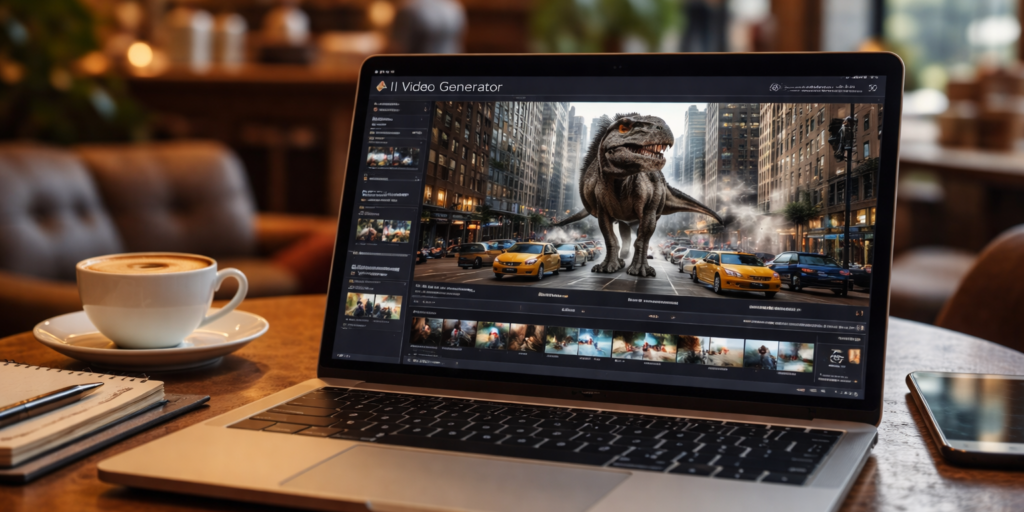
The video is generated by Text To Video AI Generator
3. Use Scenarios for Text to Video
Let’s explore where text to video really shines.
3.1 Marketing and Advertising
If you’re running campaigns and need fresh creatives fast, an ai video generator from text can produce:
Product explainer videos
Social media ads
Brand storytelling clips
Concept commercials
Instead of filming multiple versions, you can generate variations quickly by modifying prompts.
3.2 Content Creation and YouTube
Creators use text to video ai generator tools to:
Visualize storytelling
Create background footage
Generate B-roll
Produce animated educational content
It reduces production cost and increases speed dramatically.
3.3 Prototyping Film Concepts
Filmmakers can test scenes before actual production:
Camera angles
Lighting mood
Character blocking
Set design
This is extremely useful for pre-visualization.
3.4 Education and Training
Training simulations, historical recreations, and science visualizations can be created through text prompts instead of hiring animation teams.
3.5 Creative Exploration
Artists and designers use text to video maker platforms to explore surreal or cinematic ideas without technical limitations.
4. Use Scenarios for Image to Video
Now let’s look at where image to video performs best.
4.1 Reviving Old Photos
One of the most popular uses is animating:
Historical portraits
Family photos
Archival materials
The image becomes emotionally engaging once motion is added.
4.2 Product Showcase
E-commerce brands often take a product image and:
Add rotating camera motion
Create lighting shifts
Simulate 3D depth
This is faster than filming new product footage.
4.3 Social Media Engagement
Static Instagram images can become short animated clips, increasing engagement and watch time.
4.4 Talking Avatar Videos
You can upload a portrait and generate:
Lip-synced speech
Facial expressions
Eye movement
This is widely used for AI spokesperson videos.
4.5 Presentation Enhancements
Corporate slides or infographics can be animated into dynamic visual clips.
5. Key Differences Between Text to Video and Image to Video
Let’s break it down clearly.
| Feature | Text to Video | Image to Video |
|---|---|---|
| Starting Point | Written description | Existing image |
| Creative Freedom | Very high | Moderate |
| Control Over Scene | Generated from scratch | Limited to original composition |
| Consistency | Harder for long scenes | Easier to maintain structure |
| Ideal For | New scene creation | Enhancing existing visuals |
5.1 Creative Flexibility
A text to video ai system gives you unlimited scene creation. You can invent environments that don’t exist.
Image to video is constrained by the image you upload.
5.2. Control and Precision
Image to video often offers better structural stability because it keeps the original layout intact.
Text to video may require prompt engineering to refine results.
5.3 Production Speed
Both are fast, but:
Text to video: faster for generating brand-new ideas.
Image to video: faster for animating existing assets.
6. How to Choose: Text to Video or Image to Video?
Here’s a practical decision guide.
6.1 Choose Text to Video If:
You have no footage or images.
You need completely new scenes.
You want cinematic storytelling.
You are experimenting with concepts.
You need multiple variations quickly.
An ai video generator from text is ideal when starting from zero.
6.2 Choose Image to Video If:
You already have visuals.
Brand consistency is critical.
You want controlled animation.
You need realistic talking avatars.
You want subtle motion effects.
Image to video is better when you want precision and structure.
7. Advanced Considerations
7.1 Budget
Text to video can be more resource-intensive because it generates everything from scratch.
Image to video can sometimes be cheaper since it modifies existing material.
7.2 Length of Video
For longer storytelling:
Text to video may struggle with character consistency.
Image to video works best for short clips.
7.3 Brand Identity
If maintaining exact brand visuals matters, image to video is usually safer.
7.4 Prompt Complexity
With text to video ai generator tools, prompt quality heavily influences output. Detailed prompts lead to better results.
Example:
Instead of:
“Office scene”
Use:
“A professional video editor working at a wooden desk with three monitors, color grading interface visible, natural morning light through glass windows, modern office interior, cinematic camera pan.”
The more specific the prompt, the better the output.
8. The Future of AI Video Creation
The line between text to video and image to video is gradually blurring. Some platforms now allow:
Text + image hybrid input
Scene continuation
Style transfer
Real-time editing
Soon, creators may seamlessly switch between generating scenes from text and animating images within the same workflow.
9. Final Thoughts
Both text to video and image to video are transformative technologies, but they serve different purposes.
Text to video AI is best for building something from nothing.
Image to video is ideal for enhancing what already exists.
If you need imagination and full creative control, use a text to video maker.
If you need precision, structure, and brand consistency, use image to video tools.
Understanding the difference allows you to choose the right tool for your project and maximize efficiency, creativity, and impact.
As AI continues to evolve, mastering both approaches will give creators and marketers a serious competitive advantage.
For more information, visit Bel Oak Marketing.