

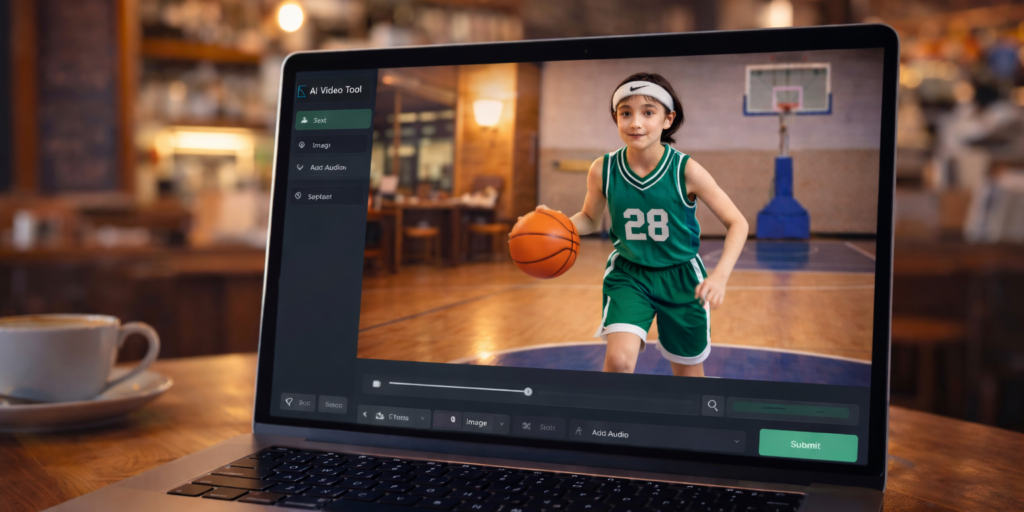
Motion AI video is rapidly becoming one of the most powerful applications in generative technology. From sports simulations to cinematic character scenes, creators now use image to video AI to transform static photos into dynamic motion content. However, when generating motion-based AI videos, two critical challenges appear:
Realistic movement
Accurate face preservation
Choosing the best AI for motion depends on how well a model handles both.
1. What Is Motion AI Video?
Motion AI video refers to AI-generated video where movement is central to the result. It includes:
Image to video AI transformation
AI sports animation
AI character motion generation
Text to motion video
Realistic AI video movement
Unlike static AI images, motion AI video requires frame-to-frame consistency, physics modeling, and identity stability.
That’s what makes it complex.
2. Why Motion Is Hard for AI
To generate realistic motion AI video, a model must simulate:
Body mechanics
Gravity
Weight shifting
Object collision
Camera tracking
For example, in AI basketball video generation:
The ball must compress when hitting the floor
The jump must show real takeoff and landing
The net must react naturally
Without physics realism, motion looks artificial.
3. The Bigger Challenge: Face Preservation in Motion
While realistic movement is difficult, face preservation in motion AI video is even harder.
When AI animates a person from a single image, it must:
Preserve eye spacing
Maintain nose and mouth proportions
Keep skin texture consistent
Avoid identity drift
Many AI motion models struggle with this, especially during:
Fast turns
Large jumps
Close-to-far camera transitions
If identity changes mid-video, realism breaks immediately.
The video is generated by AI
4. What Defines the Best AI for Motion?
The best AI for motion video should balance:
4.1 Motion Realism
Natural limb articulation
Smooth transitions
Accurate timing
Proper gravity simulation
4.2 Identity Consistency
Stable facial structure
Minimal distortion
Consistent lighting
Natural expressions
Most current AI video tools excel in one area more than the other.
5. Motion AI Video vs Image to Video AI
There is a difference between:
Text-to-video AI
Image-to-video AI
Text-to-video creates a new character.
Image-to-video must preserve an existing face.
That makes image to video AI far more demanding when it comes to facial accuracy.
If your goal is realistic motion AI video with face accuracy, you must prioritize models trained for identity consistency.
6. How to Improve Motion AI Video Results
Even the best AI for motion needs structured prompts.
6.1 Use Detailed Motion Steps
Instead of:
“Run and dunk.”
Use:
Plant left foot
Lift right knee
Extend right arm
Ball contacts rim
Controlled landing
Breaking movement into phases improves AI motion accuracy.
6.2 Lock Facial Identity
Include instructions such as:
Preserve facial structure
Maintain original identity
No face distortion
Consistent skin texture
This reduces identity drift in motion AI video.
6.3 Control Camera Distance
Medium framing works best.
Extreme zoom-out lowers face detail.
Extreme close-up increases distortion risk during motion.
7. Realistic Motion AI Video for Sports
AI sports video generation is one of the most demanding motion categories.
To achieve realistic sports motion:
Emphasize gravity
Define ball-floor contact
Specify impact sound
Avoid looping motion
When creating AI basketball video, include:
Clear bounce physics
Backboard impact
Net movement
This improves motion realism significantly.
8. The Future of Motion AI
The next wave of motion AI video will likely include:
Embedded physics engines
3D skeletal modeling
Multi-frame identity locking
Stable long-duration movement
As these systems improve, realistic motion AI video will approach cinematic quality.
9. Final Verdict
If your priority is dynamic realism and high-energy movement, choose a model optimized for motion physics.
If your priority is facial accuracy and identity consistency, choose a model trained for face preservation.
The best AI for motion is not universal—it depends on your creative goal.
Understanding this balance is the key to professional AI-generated motion video.
For more information, visit Bel Oak Marketing.